9.2 Assigning the User Application Administrator
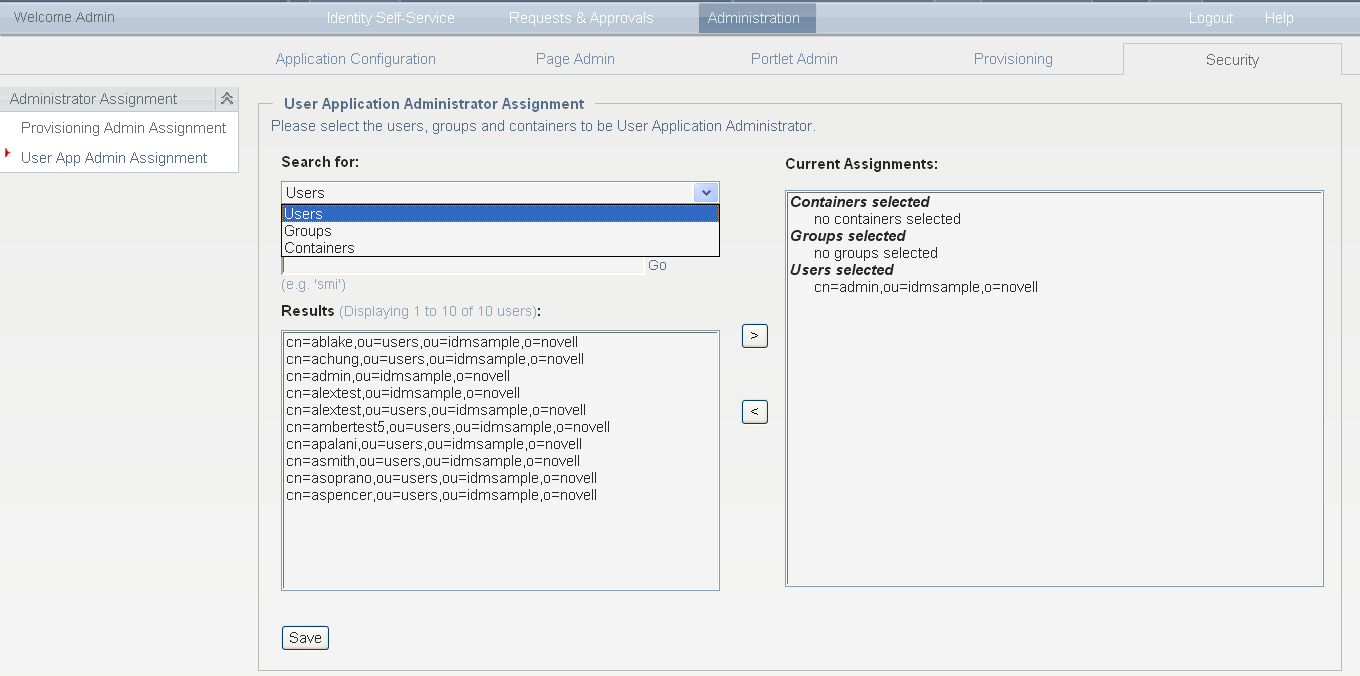
When assigning User Application Administrators, you can specify users, groups, or containers.
-
Go to the Security page:
-
Under , select .
-
Specify values for the following search settings:
-
Click .
The results of your search appear in the Results list.
-
Select the users, group, or container you want to assign as User Application Administrators, then click (>).
Hold down the Ctrl key to make multiple selections.
-
Click .
To unassign User Application Administrators:
-
In the Current Assignments list, select the users, group, or container you want to unassign as User Application Administrators, then click (<).
Hold down the Control key to make multiple selections.
-
Click .
You cannot delete yourself as User Application Administrator. This is a safeguard to ensure that the User Application always has at least one User Application Administrator.