6.2 Creating a User Login and Credentials
Logins and credentials are typically created automatically as part of the application definition, but you can manually create and edit them if required.
To create logins and credentials:
-
On the notification area, double-click the Novell SecureLogin the
 icon. The Personal Management utility is displayed.
-
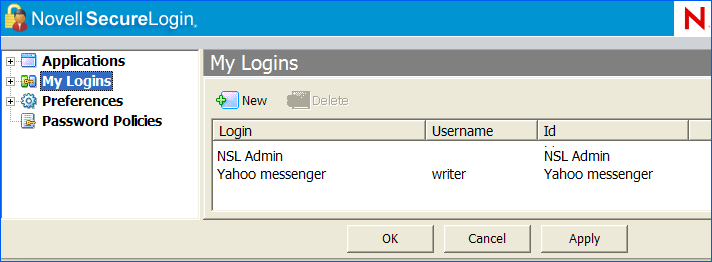
Click . The existing Logins are displayed.
-
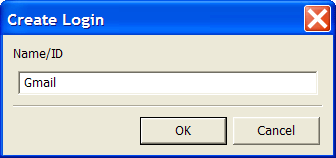
Click . The Create Login dialog box is displayed.
-
In the field, specify a Name/ID for the login.
-
Click . The Login name/ID is added to the My Logins pane.
-
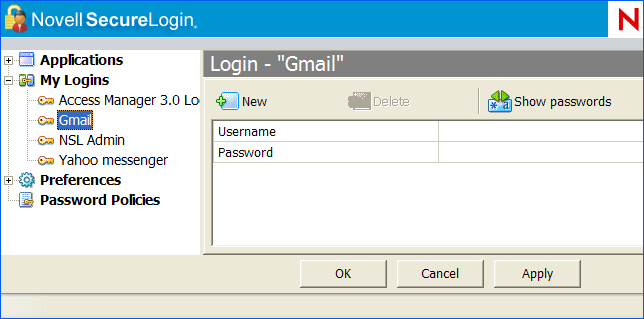
From the My Logins on the left pane, select the login you have created.
-
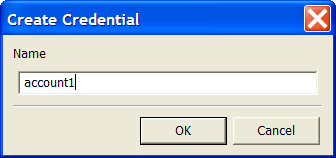
Click. The Create Credential dialog box is displayed.
-
In the field, specify a name for the new credential.
-
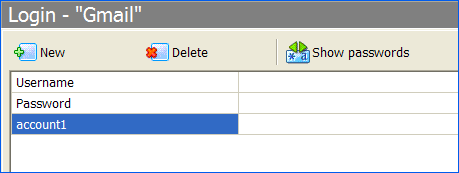
Click The new credential is added to the Login details.
-
In the Value column, specify a value for the credential.
-
Click . The new credential variable and its value are displayed.