30.6 Assigning Unassigned Preboot Bundles
IMPORTANT:If you are assigning a Preboot bundle that has been created on a management device inside the firewall to a device outside the firewall, port 8089 must be open both ways (PUBLIC -> PRIVATE, and PUBLIC <- PRIVATE).
-
If you click on the Summary page of a wizard, or if you access this page through the or tabs in the ZENworks Control Center, the Bundle Assignments page is displayed:
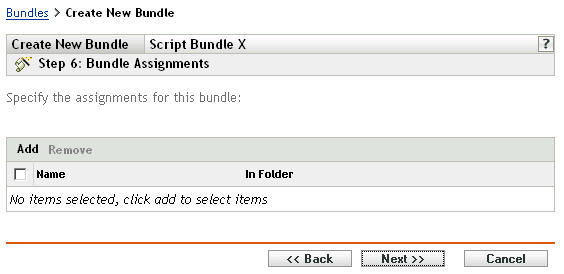
The wizard’s step number depends on where you access the wizard from. The examples in these instructions are based on accessing this wizard when creating a ZENworks Script bundle.
-
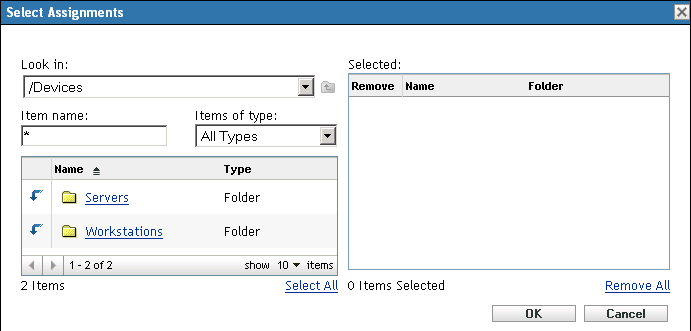
Click to display the Select Assignments dialog box:
-
Browse for and select the devices that you want to be assigned to this bundle, then click .
You can select individual devices, or the or folders containing such devices, or mixtures of folders and devices.
-
Click to display the Bundle Groups page:
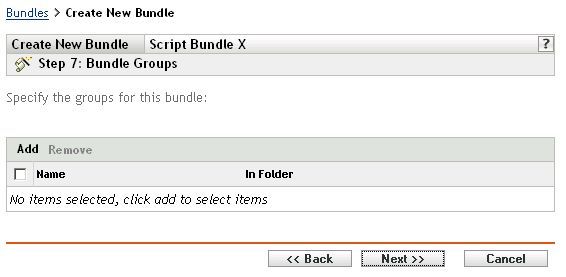
This is optional. You can click to display the Summary page without assigning a bundle group. In this case, skip to Step 8.
-
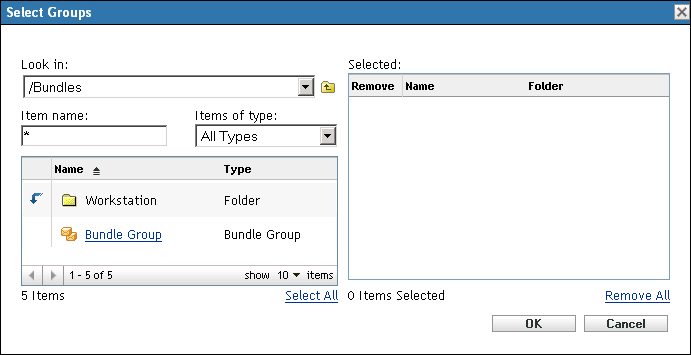
Click to display the Select Groups dialog box:
-
Browse for and select the groups that you want to be assigned to this bundle, then click .
You can select individual groups, including browsing the folders containing groups.
-
Click to display the Summary page.
-
Review the configuration, then click one of the following:
Back: If necessary, use this to make changes before finishing.
Finish: Click to create the bundle and assign the devices or groups to the bundle when it is created.